


Getting Online with Wakey is Easy!
Your setup guide is here to walk you through each step of getting connected. We’ve included helpful visuals, pro tips, and everything you need to activate your service with confidence.
Setting up your modem:
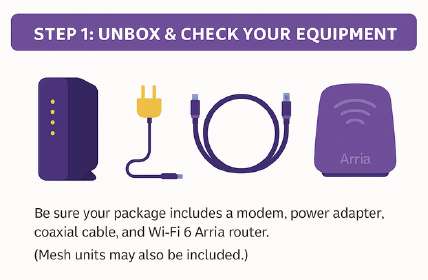
✅ Step 1: Unbox & Check Your Equipment
Make sure your package includes:
-
Modem
-
Power adapter
-
Coaxial cable
-
Wi-Fi 6 Hitron Aria Router
-
(Optional) Mesh unit(s), if your plan includes them
Note:
-
The modem and router require different power inputs — do not swap their adapters. Using the wrong one can damage the equipment or affect its performance and proper operation.
- Once your modem is fully set up, → Click here for the setup guide for your router or mesh extender(s).
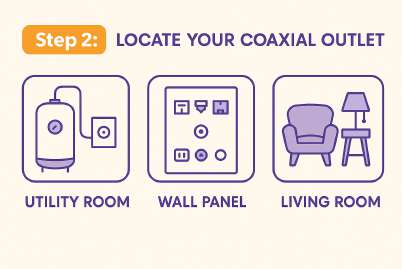
✅ Step 2: Locate Your Coaxial Outlet
Find the coaxial wall outlet in your home — it’s usually in the:
-
Living room
-
Utility room
-
Media panel or wiring cabinet
If you or a previous resident ever had cable internet with Shaw or Rogers, this is the same outlet Wakey will use.
Note: Disconnect any old cable-internet equipment before setting up your Wakey modem.
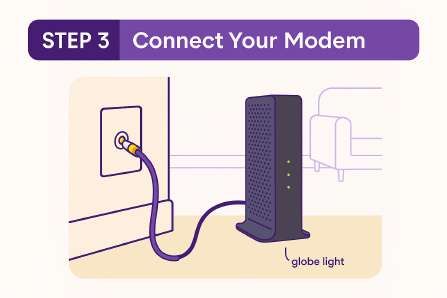
✅ Step 3: Connect Your Modem
On your activation date:
-
Connect the coaxial cable from the wall outlet to your modem.
-
Plug in the power adapter.
-
Wait 5–10 minutes until the GLOBE/ONLINE light turns solid.
If it’s not online after 10 minutes:
-
Try a different coax outlet, if available.
-
Double-check that your activation date is today.
Hurray! Now that your Cable Modem is Online - let’s setup your new WiFi 6 (Arria 2210) Router in your home!
Still offline?
Reach us through Live Chat — if a technician visit is deemed necessary by our vendor, Wakey will cover the cost.